 |
Trax3 3.1.0
trax track library
|
|
Trax3 3.1.0
trax track library
|
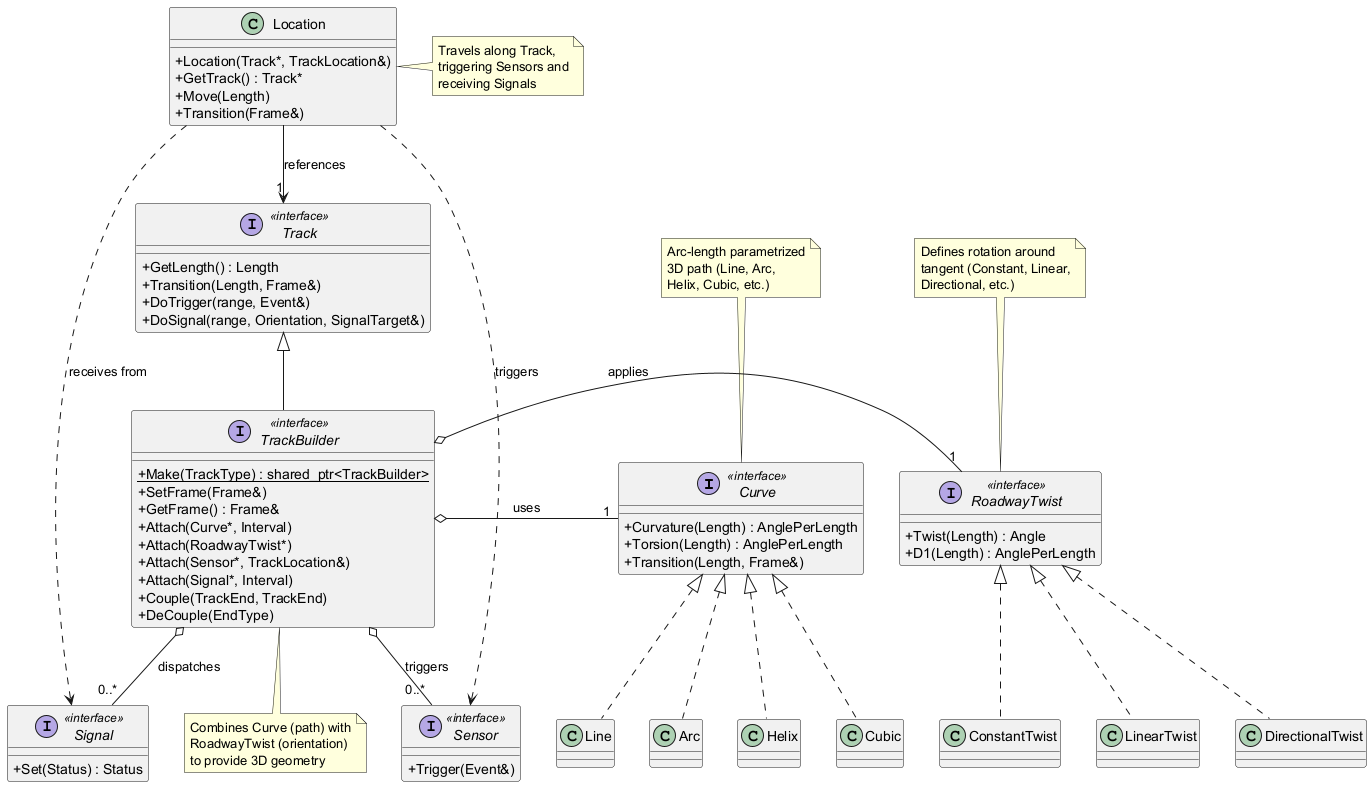
A Track is something with two ends - the front end the end end - which can get connected with the ends of other tracks; it can provide geometry, by taking a Curve as a path in 3D space and a RoadwayTwist for determining the up direction of the path; there is a Location that can travel the tracks, including transitioning between tracks if they are coupled and deliver 3D poses by its location_getters getter methods - Connectors are taking track ends and help to dynamically reconnect them according to their special patterns.
Trax' tracks provide two interfaces: the Track interface for using a track, e.g. transition the track, to get a 3D location for a track parameter value; and the TrackBuilder interface, for creating track geometry by attaching curves and twists.
The overall pose of a track is governed by its Frame . It specifies the transformation between a Curve and the 3d space local to an absolute_frame , specified by a TrackCollection. If the Track is not a member of a TrackCollection, the frame will be the global pose. To set a desired pose for the track, a SetFrame method can be used. This way any position along the track can get aligned to a global (or TrackCollection - local) pose.
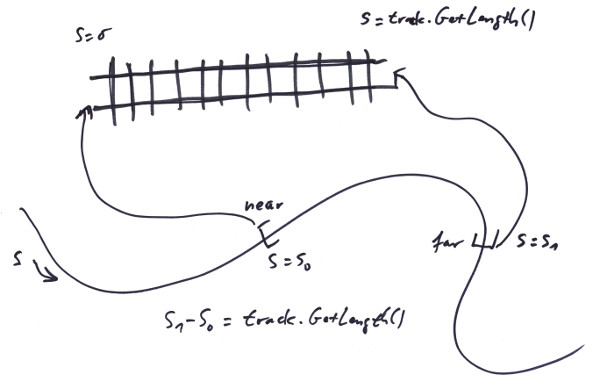
All Curve's parameter values are counted in arc length (named s and typed trax::Length, if so), meaning that the parameter s2 - s1 is measuring the geometrical length of the Curve between any two valid values s2, s1 along the Curve. If attached to a track, a Curve has to be augmented with a parameter range that gets mapped to the track's 0_m to length parameter range. This can be any parameter range in the Curve's valid range; note that it also can be reverted.
Curves can be shared between multiple tracks. Twists are unique to their tracks.
There are several trax::Strech - functions to help with solving certain geometrical problems, by finding a most simple Curve, that does the trick and attaching it directly to the track.
To properly create a track attach a curve to it:
To set a track's starting position to a special place and orientation in 3D space:
To set a track's middle position to a special place and orientation in 3D space:
To Detach a Curve:
To store geometry and pose for later use:
To make the track connect two points and maintaining specific tangents at those:
Do also look at the tests in the test suit for further examples.
 1.15.0